


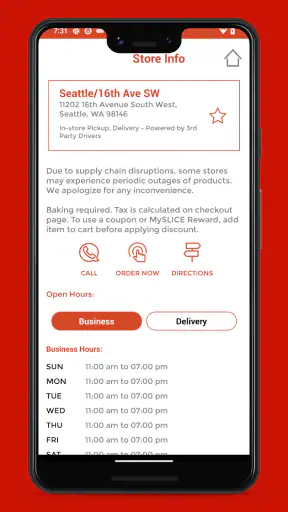
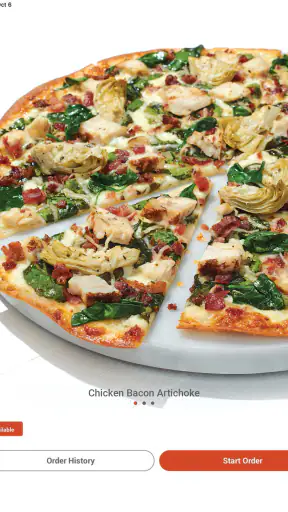
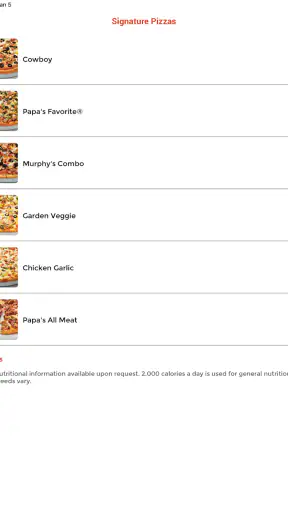
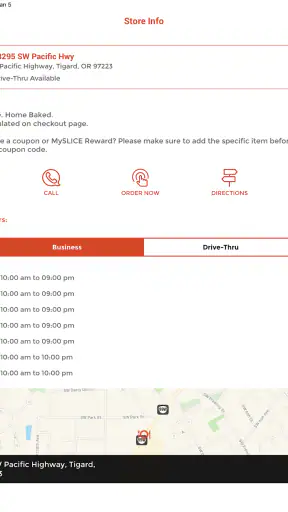
I found Papa Murphy’s Pizza most useful when I wanted to order a take-and-bake pizza without turning the process into a phone call or a long visit in the shop. It is a free Food & Drink app from Papa Murphy's, and its main job is straightforward: help me choose a pizza, place an order, and keep an eye on rewards. That focused purpose also makes it easier to judge from an inclusive-use perspective. The important question is not only whether I can order quickly, but whether the experience remains understandable and manageable when I am tired, distracted, using a smaller screen, or dealing with different motor and sensory needs.
The app has been available since September 4, 2018, and it has grown into a familiar option for Papa Murphy’s customers, with more than a million installs and an average score of 4.0 from roughly eighteen thousand ratings. Those figures suggest a well-established service rather than an experimental ordering tool, although popularity does not automatically mean that every screen works equally well for every person. In my experience, its value depends heavily on how comfortable you are with touch navigation, reading menus on a phone, and making choices through a fairly typical restaurant-ordering flow.
How clearly the ordering experience communicates
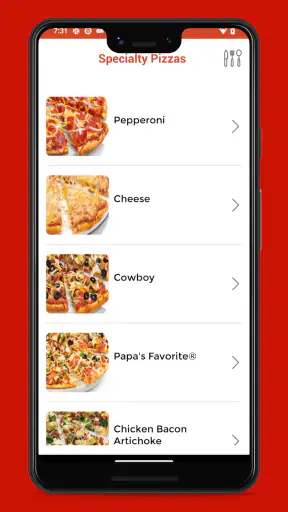
The strongest part of the app is its direct connection to a specific restaurant brand. I do not have to compare unrelated restaurants or sort through a broad delivery marketplace. The choices are centered on Papa Murphy’s menu, which reduces one kind of cognitive load: there are fewer competing businesses, delivery arrangements, and restaurant policies to interpret. For someone who already knows what they want, that narrow focus can make the first steps feel less intimidating.
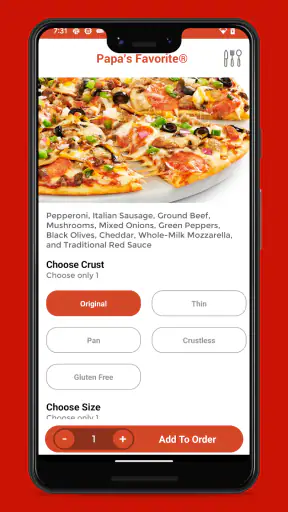
At the same time, a pizza order can become more complicated than it first appears. Size, crust, toppings, preparation choices, pickup details, and rewards can all influence the path through the order. I recommend deciding the basic meal before opening the app, especially if you find dense menus tiring. Knowing whether you want a familiar pizza or intend to customize one helps you avoid repeatedly moving between product details and the cart.
Readability matters here because food ordering involves practical details, not just attractive pictures. I pay attention to whether the selected item, customization choices, and final order are easy to distinguish from one another. A person with reduced vision, reading fatigue, or difficulty concentrating may benefit from pausing at the cart rather than treating the first confirmation screen as the end of the process. The best habit is to review the pizza name, size, changes, store, and pickup timing before completing the order.
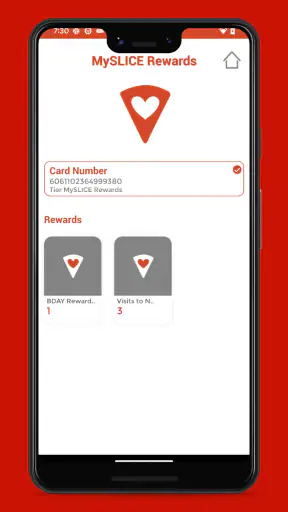
The rewards area adds another layer. For regular customers, keeping rewards inside the same app is more convenient than carrying a separate card or trying to remember a web account. For occasional customers, however, it can feel like an extra step beside the actual food order. I would treat rewards as a bonus rather than the reason to install the app. If the account or rewards process becomes confusing, ordering the meal accurately should take priority over chasing a benefit.
Navigation is most approachable when I use one task at a time: select the restaurant, choose the food, customize it, inspect the cart, and then handle the final order details. Jumping back and forth can be harder for anyone who uses a screen reader, magnification, voice control, or a slower touch method, because each return to a previous screen creates another chance to lose context. The app is easier to manage when I deliberately keep the order simple and verify every change before moving on.
Why a focused menu can help some users
Compared with a general delivery marketplace, this app removes several decisions that can overwhelm people. There is no need to compare restaurants with different menus, delivery fees, preparation styles, or review systems. That can be especially helpful for a first-time Papa Murphy’s customer who wants a predictable route to one brand’s food.
The trade-off is that the app cannot solve broader access problems in the same way a marketplace sometimes can. If the local Papa Murphy’s location is inconvenient, if you need a different restaurant, or if you require delivery options outside this brand’s process, the focused design becomes a limitation. I would choose a general ordering service when flexibility matters more than a direct connection to Papa Murphy’s.
Reading the order without rushing
One practical tip is to treat the cart as a proofreading stage. I would not rely on memory after customizing a pizza, particularly if I am ordering for several people. Read each chosen option slowly, check that unwanted changes have not remained selected, and confirm that the intended store is still active. This is useful for anyone, but it becomes more important when small controls, crowded screens, or concentration difficulties make accidental taps more likely.
Another helpful approach is to order a familiar combination first. A simple repeat order lets me learn the app’s structure without simultaneously learning the menu. After that, customization is less stressful because I already understand where the important information appears. This is a small but meaningful accessibility advantage: familiarity reduces the number of decisions I have to hold in my head.
Motor, sensory, and situational access
Touchscreen ordering can be convenient for people who prefer not to speak on the phone, but it is not automatically easy for everyone. A user with limited dexterity may find repeated tapping, scrolling, or selecting small options tiring. Someone with tremors or reduced precision may also worry about changing a topping unintentionally. I would use a stable surface, increase the phone’s general text size if needed, and slow down at customization screens rather than trying to complete the order while walking.
The app’s usefulness also changes with the situation. In a noisy kitchen, a visual order can be easier than a phone conversation. In bright sunlight, glare may make reading difficult. At night, a bright screen or visually busy menu may be uncomfortable. While the app gives me a quieter alternative to calling, it still depends on the phone display being usable in the moment. That means the same person may find it accessible at home but frustrating in a moving car, a crowded shop, or a dim room.
I would never recommend placing an order while driving. Apart from safety, divided attention makes it much easier to select the wrong store or miss a customization. A passenger can help, or the order can be prepared before leaving home. This is a good example of situational access: an app may be technically available but practically unsuitable when the user cannot give the screen full attention.
People with sensory sensitivities may appreciate avoiding a busy counter, strong restaurant smells, or a spoken interaction under time pressure. Ordering in advance can make the visit more predictable, particularly for someone who finds crowded environments draining. The app does not remove the sensory experience of collecting the food, though. If the pickup location itself is difficult, placing the order digitally only addresses part of the journey.
For users with hearing loss, a visual ordering route may be preferable to a phone call because the essential choices are presented on screen. That does not mean every later interaction will be equally comfortable; pickup may still involve listening for a name or speaking with staff. I would keep the order information available on the phone and allow extra time rather than assuming the digital order eliminates all communication needs.
Using it when attention and energy are limited
I can imagine using the app after work when nobody at home wants to cook, but everyone wants something slightly different. One person chooses a familiar pizza, another asks for changes, and I place the order while trying to keep track of the household conversation. In that situation, the app is helpful because I can make the choices visually and review them later. The risk is that multitasking makes mistakes more likely, especially when I switch between people’s requests and the order screen.
My better workflow is to write down each person’s choice first, then enter it into the app without interruptions. I review the cart once for the pizzas and again for the pickup information. This two-pass method is more reliable than trying to remember every topping while tapping through the menu. It also gives a user with memory difficulties or mental fatigue a clear routine instead of requiring constant improvisation.
The app can be useful for planned group meals, but I would not depend on it as the only communication tool for a complicated order. If several people need highly different customizations, a direct conversation with the store may be clearer. The app is at its best when it reduces routine friction, not when it forces a complex request into a sequence of small controls.
When the app is a better choice than usual alternatives
Compared with calling the restaurant, the app gives me a written record of my selections and lets me make decisions privately. That is valuable if I dislike phone calls, need more time to read, or have difficulty hearing spoken details. It also reduces the chance that I will forget what I requested immediately after the conversation.
Compared with visiting the store without an order, it can make the pickup more predictable. I can prepare the order before arriving and avoid making menu decisions while standing at the counter. For someone who experiences social anxiety, fatigue, or sensory overload in public spaces, that preparation may be the app’s most meaningful benefit.
Compared with a general delivery app, Papa Murphy’s direct app is more focused but less versatile. It makes sense when I already want Papa Murphy’s and plan to collect the food through the available ordering process. A marketplace is the better choice when I need to compare many restaurants, coordinate different cuisines, or use delivery as the central requirement.
Where the inclusive experience still has friction
A branded ordering app can feel simple until something goes wrong. If I lose track of the selected store, misunderstand a customization, or cannot easily tell whether a reward was applied, the narrow design offers fewer alternative routes. Someone who struggles with small text, precise touch, or fast-changing screens may need assistance from another person, particularly for a large or customized order.
There is also a difference between being able to open an app and being able to use it independently. A person may have a compatible phone and still find the process difficult because of vision, dexterity, language, attention, or sensory needs. I would not describe the app as universally accessible just because it supports digital ordering. Its inclusive value comes from giving people an additional route, while the quality of that route depends on the user’s device settings, environment, and comfort with touch interfaces.
For the same reason, users who rely on assistive technology should test the basic flow with a low-stakes order before depending on it for a time-sensitive meal. If the controls are hard to identify or the cart is difficult to review, asking a trusted person to help may be more practical than repeatedly correcting an order. That is not a criticism of digital ordering itself; it is a reminder that independence varies from person to person.
What the current app represents
The current release is version 26.1.2026020401, and it runs on operating system version 10 or later. That broad device requirement is useful for people who keep an older phone, but compatibility alone does not guarantee a comfortable experience. A phone with a small display, an aging battery, or slow touch response can make any food-ordering task more demanding.
The app is rated for Everyone, which fits its everyday restaurant purpose. Children may be able to look at menu choices with an adult, but I would still leave payment, account details, and final order review to the person responsible for the meal. The age classification tells me who the app is intended to be suitable for; it does not replace supervision or careful checking when a child is involved.
Its free price removes one obvious barrier to trying it. That makes it reasonable to install for occasional pickup, especially if I already buy from Papa Murphy’s. Still, free installation does not mean the app is the right tool for every customer. Someone who rarely visits the brand, prefers a computer, or needs a highly supported ordering experience may find a phone call or in-person assistance more comfortable.
Who should use it and who should skip it
I would recommend it to regular Papa Murphy’s customers, people who prefer visual ordering to phone calls, and households that want to prepare a pickup order before leaving home. It is also a sensible option for users who appreciate keeping rewards connected to their restaurant orders rather than managing a separate loyalty process.
I would be more cautious about recommending it to someone who needs delivery from multiple restaurants, has difficulty with touchscreen precision, or wants to place unusually complicated orders with detailed explanations. In those cases, a direct conversation or a more flexible ordering service may be easier. The app is not a universal replacement for human assistance, and pretending otherwise would set up the wrong expectations.
For a caregiver ordering on behalf of another person, I suggest confirming the preferred pizza and pickup plan outside the app first. Then enter the order in a quiet place, review it aloud or with the person if possible, and keep the confirmation available. This workflow respects the user’s choices while reducing the chance that a rushed tap or misunderstood customization changes the meal.
My inclusive verdict
After using it as a focused restaurant-ordering tool, I see Papa Murphy’s Pizza as a useful extra route rather than a complete answer to accessibility. Its direct connection to Papa Murphy’s keeps the task relatively focused, its free access makes experimentation easy, and its visual ordering approach can be more comfortable than a phone call or a crowded counter. The rewards feature gives regular customers another reason to keep the app installed.
Its limits are equally clear. Touch controls, reading demands, account steps, and pickup communication can still create barriers for people with motor, visual, hearing, cognitive, or sensory needs. The experience is most dependable when I order in a quiet setting, use a familiar meal, leave time for proofreading, and avoid multitasking. If I need broad restaurant choice, delivery flexibility, or detailed human discussion, another method may serve me better.
My final recommendation is simple: try it if Papa Murphy’s is already part of your routine and you want a calmer, more deliberate way to arrange pickup. Before relying on it for a group meal or an important occasion, test the full path from menu to cart and make sure the screen, controls, and confirmation process work for you. The app’s real inclusive strength is choice: it gives many customers a practical alternative, while still leaving room for phone, web, in-store, or assisted ordering when those options fit better.


